
The two realistic options you have when it comes to converting a number right now—say 237 grams to pounds—are the following. A weight converter powered by artificial intelligence can do your math, rounding, and unit labeling for you in a matter of seconds; both paths are accurate; the difference lies in speed, context, and trust.
This article shows you exactly when to choose manual and when to choose AI, while avoiding the classic mistakes that cause wrong results. You’ll see practical examples for grams to pounds, grams to ounces, grams to kilograms, and even grams to stone, plus guidance on rounding and significant figures so your numbers hold up in real life—recipes, shipping labels, jewelry listings, school reports, and more.
Read More: How Do You Convert Grams to Milliliters for Different Ingredients?
Manual vs AI: what are we actually comparing?
Manual conversion means you apply a known constant and a simple operation. For example, grams to pounds uses 1 lb = 453.59237 g, while grams to ounces uses 1 oz (avoirdupois) = 28.349523125 g. You decide the precision, you decide when to round, and you document the steps. This gives you transparency and reproducibility, which is why manuals and spreadsheets are favored in school labs and audit trails.
An AI-based weight converter is still math under the hood, but it tries to be smart about context. A good tool detects whether you mean regular ounces or troy ounces (31.1034768 g) for precious metals, offers precision controls, labels units clearly, and can process bulk values without copy-paste errors. If you’re on mobile or juggling many product weights, AI wins on speed and convenience, provided the tool shows the constant, unit type, and rounding used.
Manual method: formulas you can trust
The heart of manual conversion is a small set of constants and one division. Grams to pounds: grams ÷ 453.59237. Grams to kilograms: grams ÷ 1000. Grams to ounces (everyday US use): grams ÷ 28.349523125. Grams to stone: grams ÷ 6350.29318. If you’re handling gold or silver, use troy ounces: grams ÷ 31.1034768. Keep the constants fixed, compute the exact value, then round at the end to match the use case.
Manual is ideal when you must show your work or guarantee a repeatable number. In a spreadsheet, you can set column-wide precision and lock the constants so every item is treated the same way. That’s perfect for a catalog where you convert hundreds of product weights from grams to pounds, or for a class report where your significant figures need to match the precision of your input measurement.
AI-based weight converter: speed with context
A well-designed AI converter reduces mistakes that humans make under time pressure. It can auto-detect units, remind you that “grams to cups needs density,” and switch to troy ounces if you mention “bullion” or “karat.” It should also offer precision choices (2, 3, or 4 decimals) and show the raw formula used so you know the number isn’t a black box. That’s how an AI tool turns math into a reliable, one-tap workflow.
Where AI really shines is bulk and mobile. Pasting a column of grams and getting a column of pounds, ounces, and kilograms in seconds is a major productivity gain. On a phone, a one-screen grams to pounds converter with unit labels and copy buttons saves time and prevents transcription errors. As long as the tool is explicit about constants and units, AI gives you fast, context-aware results you can trust.
Also Read More: How do you convert grams to cups for flour and sugar without a kitchen scale?
Which should you choose? A scenario-based answer
The right choice depends on why you’re converting and who will read the number. If accuracy must be defended—like a lab report or a compliance document—stick to manual or spreadsheet and note your constant, rounding rules, and significant figures. If speed and usability matter more—like a busy kitchen or an e-commerce workflow—an AI converter with visible constants and unit labels is safer and faster.
Think of manual as the explainable baseline and AI as the time-saving assistant. You can use both in one workflow: generate quick answers with AI, then spot-check critical numbers manually before publishing a label or report. This hybrid approach is especially helpful when switching between grams to ounces for recipes and grams to pounds for shipping, or when a single item appears in multiple unit systems.
Cooking & baking (grams to ounces)
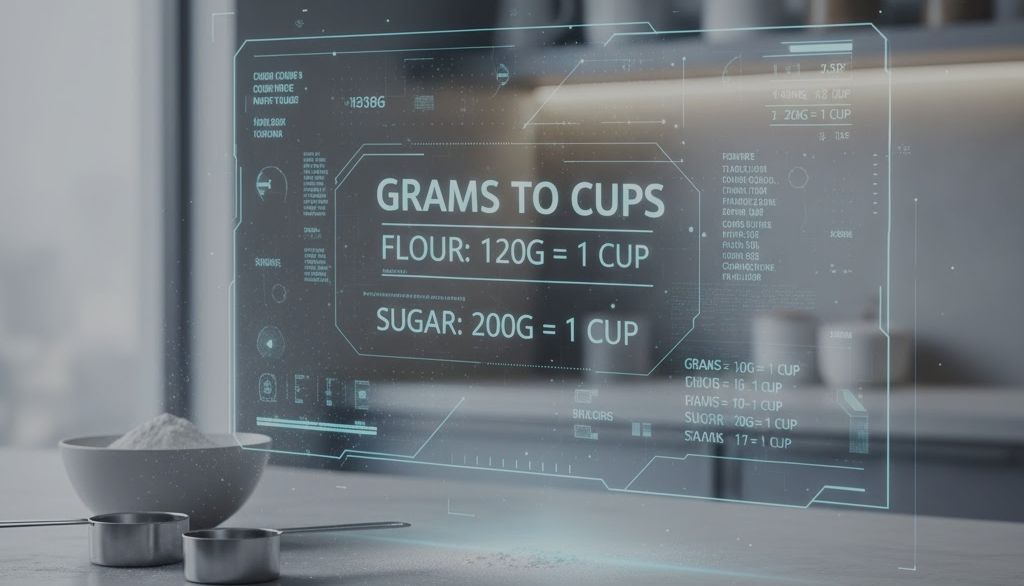
In the kitchen, most people want readable numbers and consistent outcomes. The typical path is grams to ounces, rounded to one or two decimals, because recipes and scales are designed for that level of precision. If you convert weight to volume (grams → cups), accuracy depends on density; flour and sugar don’t weigh the same per cup, so a smart tool should ask for the ingredient or warn you about the assumption.
An AI converter helps here because it can apply recipe-style rounding and keep units visible so you don’t mix grams, ounces, and cups in the same line without context. If you prefer manual, compute grams ÷ 28.349523125, round at the end, and write the unit. For example, 50 g ≈ 1.7637 oz; most cooks will use 1.76 oz or 1.8 oz, depending on the recipe’s tolerance.
Shipping & product labels (grams to pounds converter)
Carriers and marketplaces often expect pounds with a fixed rounding policy (commonly two decimals). A grams to pounds converter prevents typographical errors and keeps your label consistent: 500 g ÷ 453.59237 ≈ 1.1023 lb, which usually becomes 1.10 lb on the label. For 1000 g, you’ll see 2.2046 lb, and a two-decimal policy yields 2.20 lb.
AI wins for speed when you’re converting a batch of products and need clean output with unit suffixes and the right decimal places. Manual or spreadsheet is still great if you want full control or need an audit trail for a catalog import. Either way, define the rounding policy once and apply it everywhere so your store doesn’t show conflicting values for the same item.
Precious metals & jewelry (troy ounces)
This is where mistakes get expensive. Jewelry and bullion use troy ounces (ozt), not regular ounces. The correct constant is 31.1034768 g per ozt. If you convert grams to ounces using the everyday avoirdupois constant (28.349523125 g), you’ll misprice the item. A good AI converter will switch to ozt when you mention metals, or at least let you choose the ounce type explicitly.
Manual is reliable if you remember the distinction and write the unit clearly. For example, 31.1035 g is almost exactly 1 ozt, while 5 g is 0.1608 ozt. If you share numbers with customers, always keep the ozt suffix visible and, when relevant, show the grams too. That dual labeling increases trust and reduces disputes about weight and price.
Fitness & UK audiences (grams to stone)
In the UK and parts of Ireland, body weight is often expressed in stone (st), where 1 st = 14 lb = 6,350.29318 g. If you’re converting grams to stone, manual math is grams ÷ 6,350.29318, and an AI converter should label both st and lb for readability. People commonly want to see both values together, such as “11 st 4 lb,” not just a decimal.
For tracking, it helps to keep a consistent unit across logs. If you start in kilograms and later switch to stone, make sure your tool shows both so the trend remains clear. A converter that outputs st + lb and kg alongside grams reduces mental math and prevents confusion when comparing medical forms, gym apps, and personal notes.
Accuracy, rounding, and significant figures
Accuracy isn’t just about using the right constant; it’s about when and how you round. Round at the end of the calculation, not at the middle, to avoid compounding error. Match your decimal places to the real-world need: two decimals are common for shipping, one or two for recipes, more for lab work. In a public table, consistency is more important than squeezing in a fifth decimal.
Significant figures matter when your input measurement has limited precision. If the scale reads whole grams, the final answer shouldn’t pretend to be more precise than that. In practice, that means computing the exact value, then rounding to a level that respects the device (scale) and the use case (label, recipe, or report). Both a manual method and an AI tool should let you choose the precision you need.
Avoid common mistakes
The most frequent error is mixing ounce types. Everyday US weight uses the avoirdupois ounce (28.349523125 g), while precious metals use the troy ounce (31.1034768 g). If your result looks off, check the ounce label. The second common error is conflating weight and volume—you can’t convert grams to cups without density for that ingredient. Flour, sugar, and butter all convert differently.
Another source of trouble is premature rounding and missing unit labels. Rounding too early changes the final value, and publishing a number without “lb,” “oz,” “ozt,” “kg,” “g,” or “st” invites confusion and returns. The fix is simple: compute first, round last, and always show the unit in the output. If you’re using an AI converter, look for unit badges or suffixes you can’t accidentally delete.
A rounding policy that protects you
Pick a site-wide policy and stick to it. For example: two decimals for grams to pounds, one or two for grams to ounces in recipes, four for documentation and reference tables. When a user sees the same product across pages, the weight should match everywhere. That consistency helps both the user and search engines understand and trust your data.
If you publish reference charts, keep the same precision across the entire chart and include the constant somewhere near it. A short note like “1 lb = 453.59237 g” or “1 oz (avdp) = 28.349523125 g” is enough. These little touches improve credibility and reduce support questions about why your grams to kilograms or grams to stone numbers look “different” from someone else’s rounded estimate.
Worked conversions you can copy
Before diving into examples, remember that these are computed exactly and then rounded at the end to 4 decimals for readability. Use fewer decimals for recipes and shipping labels if needed, and more for documentation. The same approach applies whether you run the math manually or use an AI-based weight converter with precision controls.
Use these as a quick check against your grams to pounds converter, grams to ounces tool, or grams to kilograms output. If your tool shows wildly different numbers, verify the unit type (especially oz vs ozt) and the constant used. Most discrepancies come from those two details, not from the calculation itself.
Grams to pounds (g → lb)
The formula is grams ÷ 453.59237. For example, 100 g → 0.2205 lb, 250 g → 0.5512 lb, 500 g → 1.1023 lb, and 1000 g → 2.2046 lb when rounded to four decimals. These are safe reference points for shipping labels and product pages, after you apply your site’s rounding policy.
For ad-hoc values, compute once and then reuse the result wherever it appears—title, description, specification table—so the store stays consistent. If you rely on a grams to pounds converter, make sure it appends “lb” automatically to reduce copy errors and that it keeps two-decimal options handy for label printing.
Grams to ounces (g → oz, avoirdupois)
Use grams ÷ 28.349523125 for everyday ounces. Common values include 50 g → 1.7637 oz, 100 g → 3.5274 oz, 250 g → 8.8185 oz, and 500 g → 17.6370 oz (rounded to four decimals). In kitchens, you’ll usually present one or two decimals, because most scales and recipes don’t need more.
If you’re dealing with precious metals, you must switch to troy ounces and the constant 31.1034768 g. Mixing ounce systems is the #1 reason jewelry numbers look “wrong.” A careful AI converter will prompt you to choose, and a manual workflow keeps you safe if you write “ozt” next to the value.
Grams to kilograms (g → kg)
This one is straightforward: grams ÷ 1000. Examples include 100 g → 0.1 kg, 500 g → 0.5 kg, and 1000 g → 1 kg. Because the decimal is clean, grams to kilograms is a good format for nutrition panels and lab notes where the SI unit feels more natural.
For spreadsheets, kg is also easy to aggregate and compare across products. If you present both kg and lb on the same page, keep the same rounding policy for each unit throughout the site so one section doesn’t say 2.2046 lb while another says 2.20 lb for the same item.
Final decision
If your priority is explainability and a clean audit trail, choose manual or spreadsheet. It’s easier to defend a number when you can point to the constant and the rounding rule that produced it. That’s why schools, labs, and compliance documents prefer manual math or formulas like =CONVERT(A2,”g”,”lbm”) for grams to pounds and similar functions for grams to ounces and grams to kilograms.
If you need speed, mobile-friendliness, and bulk processing, use an AI-based weight converter that is explicit about units, constants, and precision. It will catch edge cases (like grams to stone for UK readers or ozt for metals), label outputs clearly, and help you produce consistent numbers across your site. In practice, the best workflow is to use AI for fast, context-aware output, and manual checks for final sign-off on critical values.